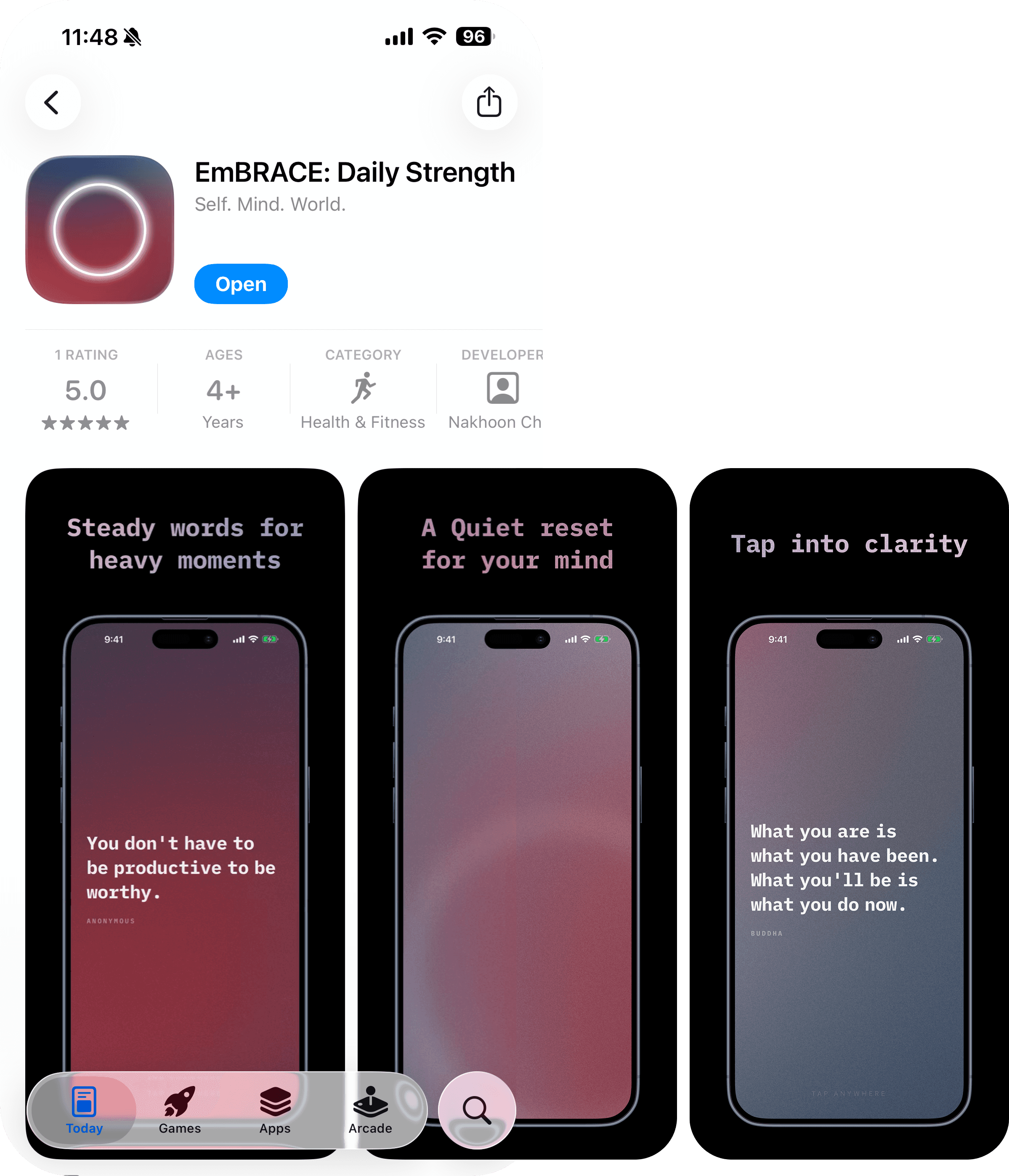
Embrace is a minimal, ambient encouragement app designed to help users reset emotionally in moments of stress or uncertainty. With a single tap, it delivers short, curated messages through a calm, immersive interface - focusing on clarity, confidence, and mental grounding.
I wanted to try out this 'vibe coding' thing
For the past few months, everyone was talking about it. LinkedIn, YouTube, Instagram and Facebook postings are flooding with AI related posts. Heck, even the main stream media are talking about it everyday. As all designers do, I had FOMO (well, maybe media is making us) and I had to jump on it.
The idea
I wanted to build something I'd actually open on a bad day. Not another productivity tool or habit tracker - just one quiet, grounding message. Tap anywhere, get another. That's it.
The concept was clear in my head as a designer: dark screen, slow ambient animation, a single sentence that lands. The hard part was making it real without a coding background.
You just prompt and let AI do its magic
No. Not really.
I've seen so many videos showing off how you can 'build an entire website with a single prompt, in 10 minutes!'. But in reality, every time when I give a 'single prompt', the result I get is a random output. And to iterate from there using words (a.k.a. prompts) is like trying to sculpt by describing the shape instead of using your hands. That's not I want.
Starting with a strategy
It's an occupational hazard.
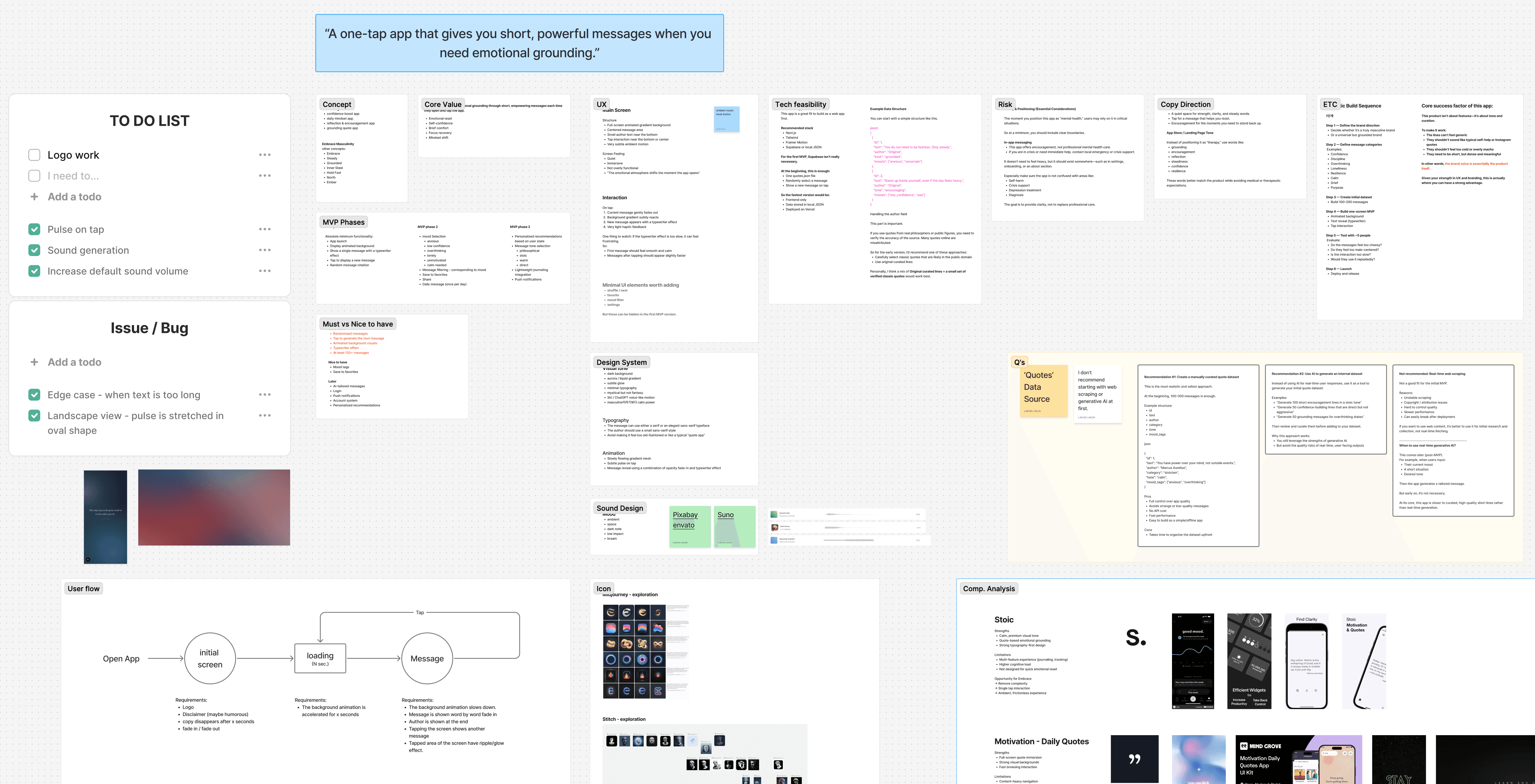
I started with laying down what I wanted to build and everything related to it on a FigJam board. ChatGPT was my product and engineering consultant. I shared about what I'm planning, the concept, the goal, and asked about feasibility, risks, etc.
What I ended up with was a strategy board with MVP product requirements, which I can always reference to develop step-by-step and focus on the goal (preventing scope creep = waste tokens).
How it got built
Then I used Claude Code as my collaborator and mostly worked in natural language. I'd describe the app I'm trying to build and its requirements, and asked Claude Code to plan the workflow. The prompt wasn't very long, but it was concise with enough context for AI to start working in a good direction.
It started off with building a folder structure, planning tech stack, and listing what steps it'll take. Built a dataset, rendered text on screen, created background animation - a number of back and forth between Claude Code and me. Giving feedback. Pushing back when something felt off.
Boom! A first working prototype came out within an hour (actually, more like half day, if you consider setting up time, installation, linking Claude Code with VS Code, etc.).
Where it gets difficult
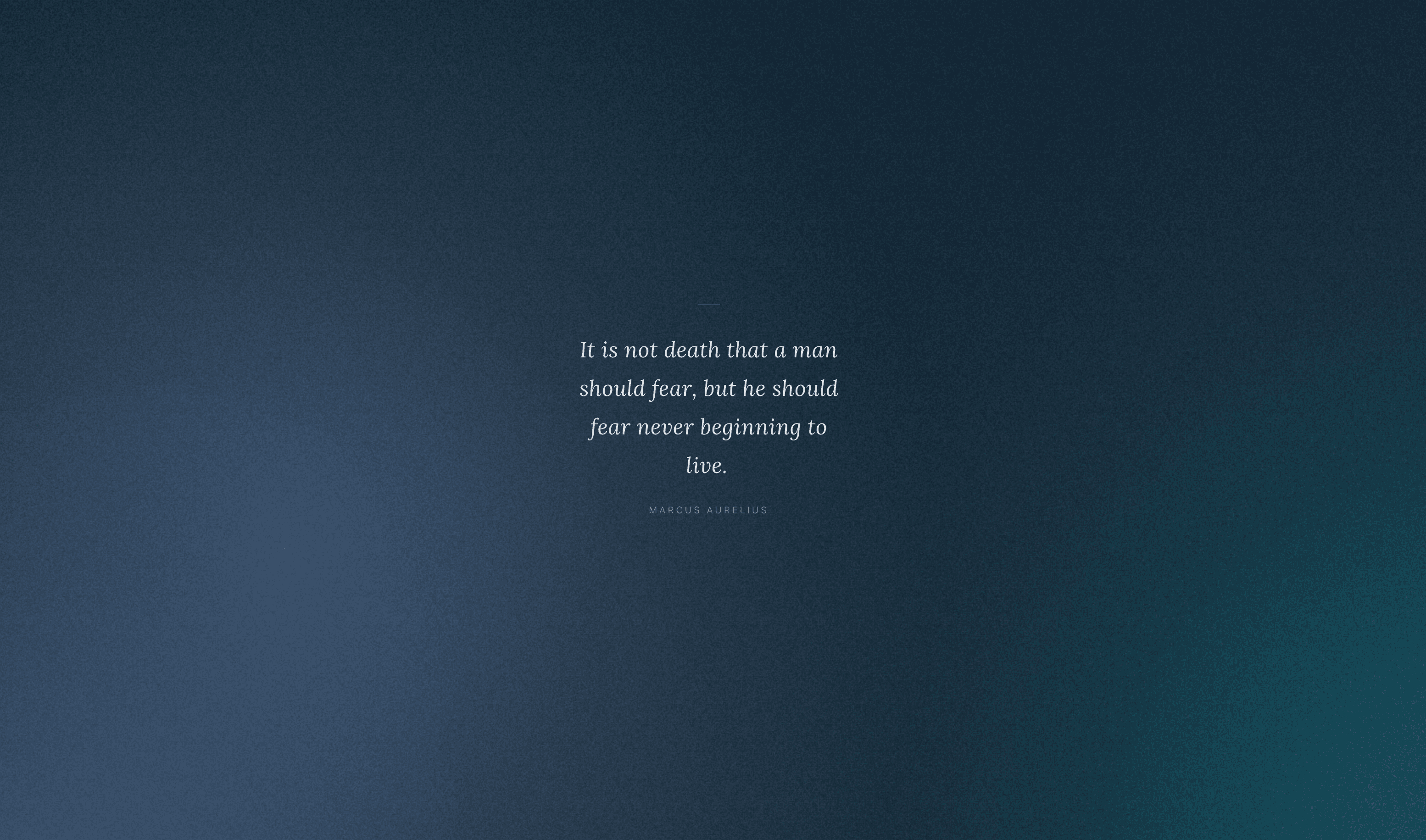
The quintessential experience I wanted to deliver on this app was the mysterious ambient background animation. It had to be perfect and this was where I was met with the first challenge.
The first version had a basic CSS gradient animation. It didn't feel right - too predictable, too flat. I pushed for something more organic. That led us to a WebGL shader: a procedural noise field that generates a living, shifting gradient. I didn't know what a fragment shader was when we started. By the end, I was giving notes on specific noise frequencies.
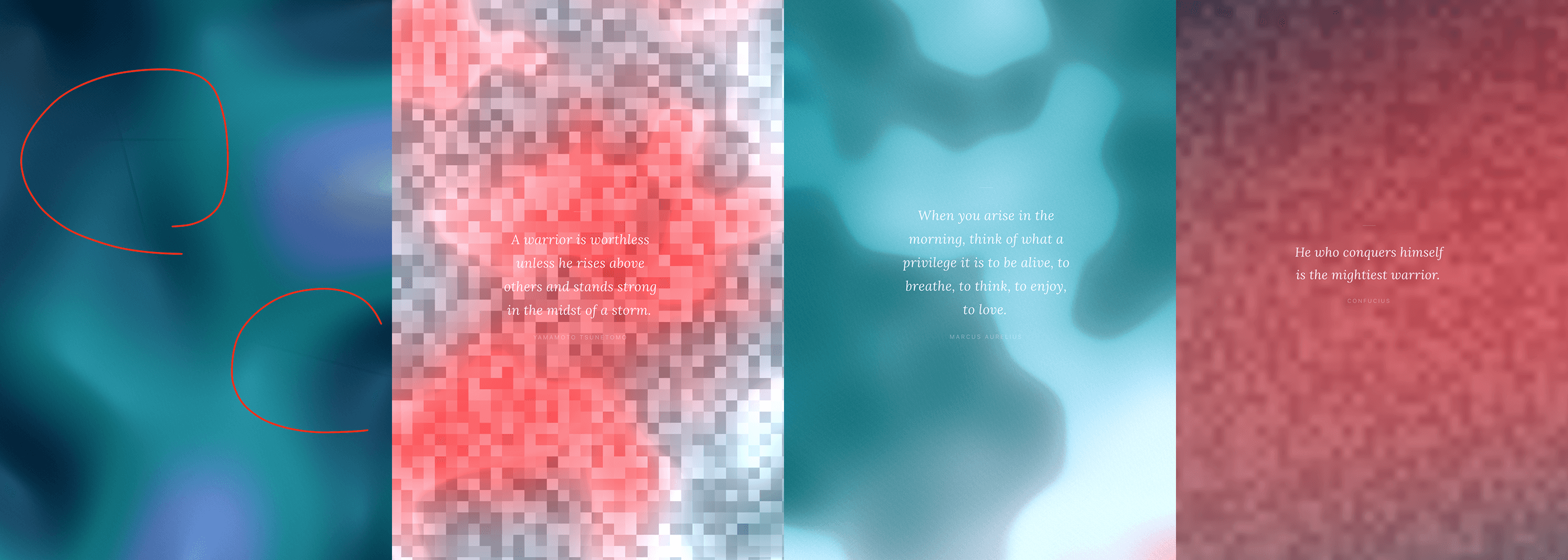
This was challenging because the concept is in my mind, but it's something difficult to explain. So many times, the result would be very different from what I have imagined. After countless iterations, I finally got the result I wanted.
*Now I have developed an anxiety of checking token usage every minute.
Fine tuning details
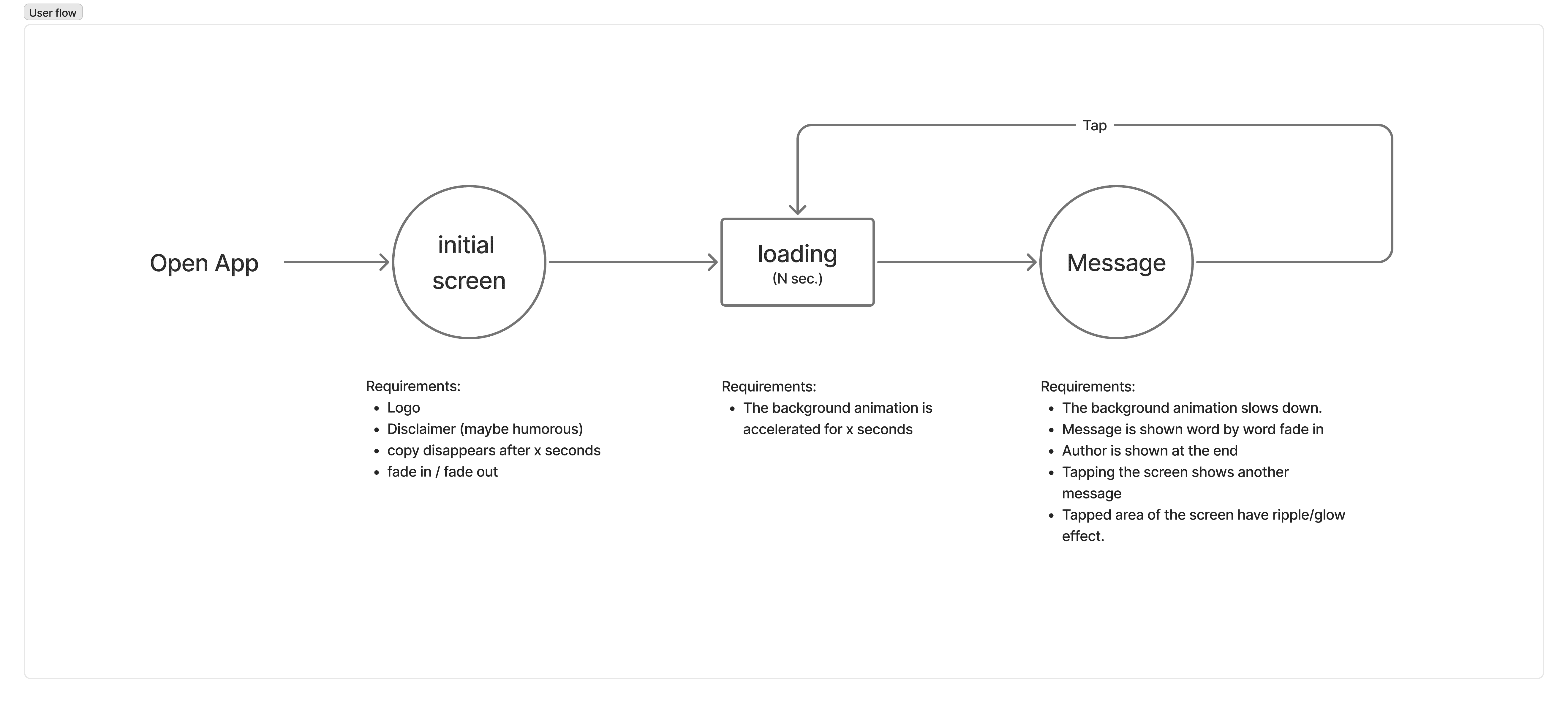
Once I had the working model, I started laying down interaction flows. I created a simple flow diagram with requirements for each instances and gave it to Claude Code which made it easier to understand than trying to explain everything in a prompt.
I adjusted timing for transition, ripple effect on tap, fixed layout, and added sounds. Overly simplified, but this was where most back and forth happened.
What I learned about iteration
The git history tells the story well. About 22 commits over two weeks, roughly three phases:
Get it working.
Basic quote display, tap interaction, the first pass at animation.Make it feel right.
This took the longest. Timing on the word-by-word text reveal. The ripple effect when you tap. Sound design - three distinct audio cues layered in to make the app feel responsive without being loud.Make it work on iOS.
Seven commits just to fix the canvas rendering on Safari. This is where I learned that beautiful design and real-world platform constraints are two different problems.
What this project is, really
Embrace is a constraint-driven design experiment.
The constraint:
one screen
one interaction
no features
It's also a proof of concept for a new kind of design workflow. As a designer, I've always had opinions about motion, typography, and emotion. AI-assisted coding meant I could finally execute on those opinions directly, without handing off to a developer and hoping something survived the translation.
The app isn't precious. It's small. But it does exactly what it's supposed to do, and it does it well.
Embrace is a minimal, ambient encouragement app designed to help users reset emotionally in moments of stress or uncertainty. With a single tap, it delivers short, curated messages through a calm, immersive interface - focusing on clarity, confidence, and mental grounding.
I wanted to try out this 'vibe coding' thing
For the past few months, everyone was talking about it. LinkedIn, YouTube, Instagram and Facebook postings are flooding with AI related posts. Heck, even the main stream media are talking about it everyday. As all designers do, I had FOMO (well, maybe media is making us) and I had to jump on it.
The idea
I wanted to build something I'd actually open on a bad day. Not another productivity tool or habit tracker - just one quiet, grounding message. Tap anywhere, get another. That's it.
The concept was clear in my head as a designer: dark screen, slow ambient animation, a single sentence that lands. The hard part was making it real without a coding background.
You just prompt and let AI do its magic
No. Not really.
I've seen so many videos showing off how you can 'build an entire website with a single prompt, in 10 minutes!'. But in reality, every time when I give a 'single prompt', the result I get is a random output. And to iterate from there using words (a.k.a. prompts) is like trying to sculpt by describing the shape instead of using your hands. That's not I want.
Starting with a strategy
It's an occupational hazard.
I started with laying down what I wanted to build and everything related to it on a FigJam board. ChatGPT was my product and engineering consultant. I shared about what I'm planning, the concept, the goal, and asked about feasibility, risks, etc.
What I ended up with was a strategy board with MVP product requirements, which I can always reference to develop step-by-step and focus on the goal (preventing scope creep = waste tokens).
How it got built
Then I used Claude Code as my collaborator and mostly worked in natural language. I'd describe the app I'm trying to build and its requirements, and asked Claude Code to plan the workflow. The prompt wasn't very long, but it was concise with enough context for AI to start working in a good direction.
It started off with building a folder structure, planning tech stack, and listing what steps it'll take. Built a dataset, rendered text on screen, created background animation - a number of back and forth between Claude Code and me. Giving feedback. Pushing back when something felt off.
Boom! A first working prototype came out within an hour (actually, more like half day, if you consider setting up time, installation, linking Claude Code with VS Code, etc.).
Where it gets difficult
The quintessential experience I wanted to deliver on this app was the mysterious ambient background animation. It had to be perfect and this was where I was met with the first challenge.
The first version had a basic CSS gradient animation. It didn't feel right - too predictable, too flat. I pushed for something more organic. That led us to a WebGL shader: a procedural noise field that generates a living, shifting gradient. I didn't know what a fragment shader was when we started. By the end, I was giving notes on specific noise frequencies.
This was challenging because the concept is in my mind, but it's something difficult to explain. So many times, the result would be very different from what I have imagined. After countless iterations, I finally got the result I wanted.
*Now I have developed an anxiety of checking token usage every minute.
Fine tuning details
Once I had the working model, I started laying down interaction flows. I created a simple flow diagram with requirements for each instances and gave it to Claude Code which made it easier to understand than trying to explain everything in a prompt.
I adjusted timing for transition, ripple effect on tap, fixed layout, and added sounds. Overly simplified, but this was where most back and forth happened.
What I learned about iteration
The git history tells the story well. About 22 commits over two weeks, roughly three phases:
Get it working.
Basic quote display, tap interaction, the first pass at animation.Make it feel right.
This took the longest. Timing on the word-by-word text reveal. The ripple effect when you tap. Sound design - three distinct audio cues layered in to make the app feel responsive without being loud.Make it work on iOS.
Seven commits just to fix the canvas rendering on Safari. This is where I learned that beautiful design and real-world platform constraints are two different problems.
What this project is, really
Embrace is a constraint-driven design experiment.
The constraint:
one screen
one interaction
no features